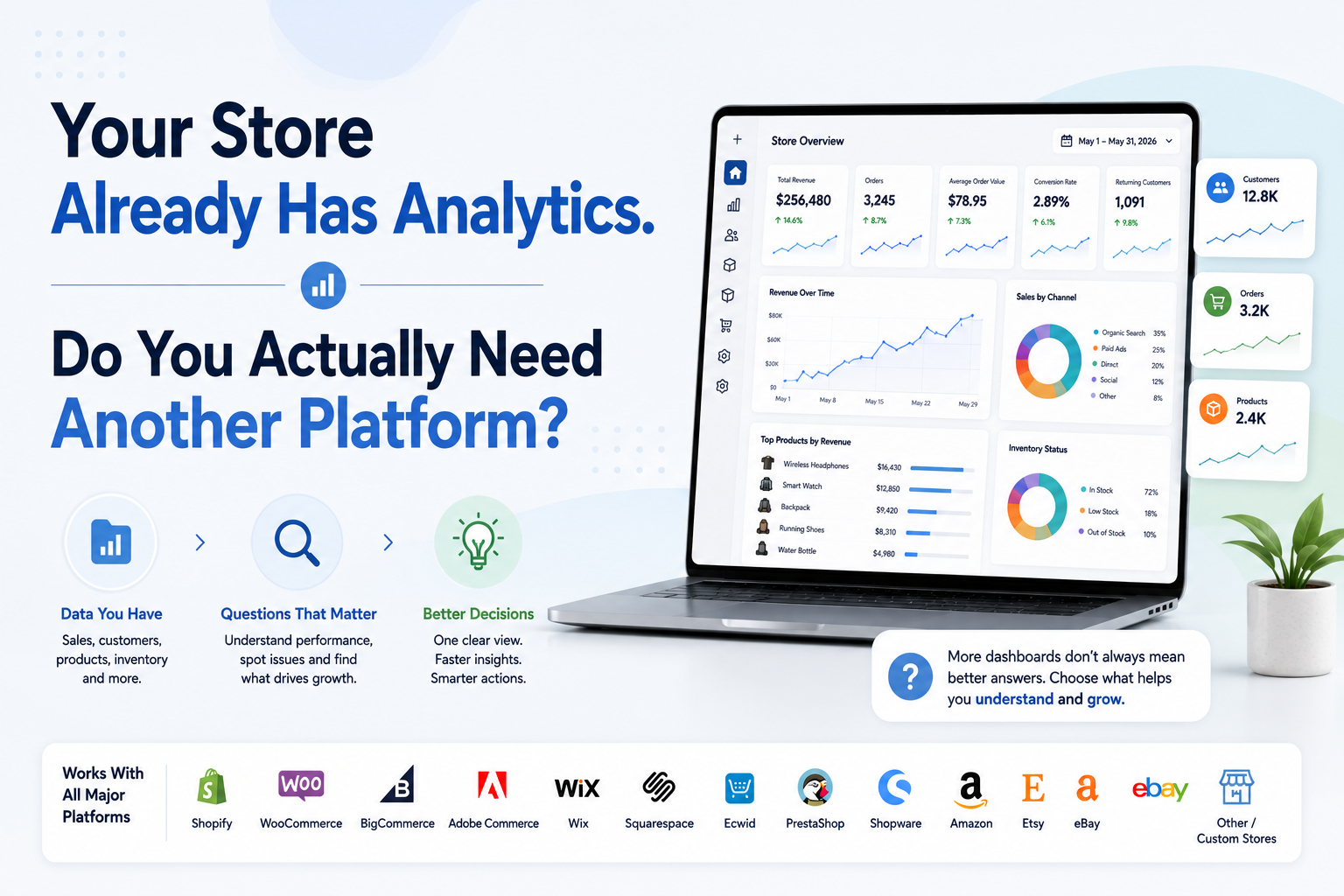
Almost every serious ecommerce platform already gives merchants analytics. Shopify has dashboards and detailed reports. WooCommerce has built-in sales and store analytics. BigCommerce reports on products, customers, conversion and orders.
Wix provides store sales, inventory, abandoned-cart and funnel reports. Squarespace includes sales, conversion and cart-abandonment analytics. Ecwid reports on visitors, conversion, orders, revenue and marketing.
So why would an ecommerce business pay for another analytics platform? That is the important question. The answer is usually not that native analytics are bad. In many cases, they are exactly where a store should begin.
A dedicated platform becomes useful when your reporting questions become broader than one store, one system or one set of native reports can answer efficiently. That distinction is what matters when comparing native ecommerce analytics vs a dedicated analytics platform.
What Do We Mean by Native Store Analytics?
Native analytics are the reporting tools provided directly inside the platform where you operate your ecommerce business. If you use Shopify, that means Shopify Analytics. If you run WooCommerce, it means WooCommerce Analytics.
If you sell through eBay, Seller Hub provides platform-specific performance information including sales, costs, traffic and seller performance. Native tools understand their own environment well because they are built around the platform's own data model.
Shopify knows Shopify orders, channels and products. WooCommerce understands WooCommerce orders and store records. Wix can access its own sales and production data directly. This is one of the strongest reasons to use native analytics before adding anything else.
What Is a Dedicated Ecommerce Analytics Platform?
A dedicated ecommerce analytics platform sits above or alongside your commerce systems. Instead of only answering questions from one source, its role can be to connect multiple areas of ecommerce performance into one analytical environment. That may include information related to:
Sales and orders.
Customers.
Products.
Inventory.
Refunds and returns.
Checkout activity.
Store performance.
Marketplaces.
Multiple storefronts.
SEO or marketing signals where supported.
The purpose is not simply to reproduce the numbers already available inside your ecommerce platform. The additional value appears when the software helps connect those numbers, compare different stores or reduce the amount of manual work required to investigate a business question.
Native Analytics Have Become Much Better
There was a time when "built-in analytics" often meant a few basic sales charts. That is increasingly outdated.
Shopify's current Analytics dashboard allows merchants to customize metric cards, organize dashboard sections, compare periods, open deeper reports, review generated insights and create metric targets.
Key sales, session and fulfillment metrics are generally updated within about a minute. WooCommerce provides detailed reports, filtering, segmentation, date comparisons, CSV exports and a customizable overview covering performance, charts and leaderboards.
BigCommerce includes built-in reports around orders, sales channels, conversion, average order value, customer trends and product performance, with deeper Ecommerce Insights available for additional analysis.
Wix's store reporting includes product sales, inventory snapshots, abandoned carts and conversion funnels, while its broader Analytics environment covers traffic, behavior, marketing, people, SEO and other areas.
This means you should never buy a third-party analytics platform before checking what your native system already provides.
When Native Analytics Are Probably Enough
Imagine you operate one online store. Most of your important questions are straightforward:
How much did we sell?
How many orders came in?
Which products performed best?
How did this month compare with last month?
Which products are running low?
How many visitors converted?
Your platform already answers these questions reliably, and reviewing the reports takes very little time. In that situation, you may not need another analytics platform.
Adding software simply because it has a more attractive dashboard can create duplicate reporting rather than better reporting. Native analytics are especially attractive when the store is relatively simple, the team is small and most decisions happen inside one ecommerce ecosystem.
The Native Platform Is Often the Best Starting Point for Its Own Transactions
When you want to confirm platform-specific transactional activity, native reports are often an important reference because they operate directly from that platform's own commerce data. External analytics tools may process the same information differently because of synchronization timing, filters, attribution rules or metric definitions.
Shopify explicitly documents that discrepancies can occur between Shopify Analytics and third-party analytics because services may define sessions differently, use different tracking mechanisms, handle cookies differently or operate in different time zones.
Wix documents similar differences. Its own sales reports have access to production information such as transaction data, while external tools such as Google Analytics can depend on browser events, JavaScript and consent.
So installing a dedicated platform does not mean you should stop understanding the native source. You still need to know where your numbers originate.
Then Why Add a Dedicated Analytics Platform?
Because businesses eventually start asking questions that cross native reporting boundaries. Consider this question: Why did revenue fall last week?
Your native platform may clearly show the decline. But explaining it may require reviewing several areas.
Did orders fall?
Did average order value fall?
Did returning customers purchase less?
Did an important product lose sales?
Was that product out of stock?
Did refunds increase?
Was the decline limited to one store or marketplace?
If answering one question requires opening many reports, exporting files or manually connecting information, the problem is no longer lack of data. The problem is analytical fragmentation. That is where a dedicated analytics layer can become useful.
The First Upgrade Trigger: You Keep Moving Between Reports to Explain One Number
Native systems are usually organized by reporting area. Sales live in sales reports. Customers live in customer reports. Products have their own reporting. Inventory may sit somewhere else. That structure makes sense operationally.
But business problems do not always respect reporting categories. A sales decline can begin as an inventory problem. Weak revenue can result from a customer-retention issue. Healthy traffic can still produce poor results because checkout completion deteriorated.
A dedicated platform becomes more valuable when it connects these areas closely enough that investigation becomes easier. The benefit is not more charts. It is reducing the distance between: Revenue is down and: These are the areas most closely associated with the decline.
For more on how those signals should be organized, see What Should an Ecommerce Analytics Dashboard Actually Show?.
The Second Upgrade Trigger: You Operate More Than One Store or Channel
Native analytics work extremely well inside their own environment. That becomes a limitation when your business no longer lives in one environment. Imagine you sell through: Your main ecommerce store, Amazon, Etsy, eBay. A second regional storefront.
Each platform can provide useful native reporting. But management still needs to answer: How did the entire ecommerce business perform?
Opening five dashboards does not automatically create that answer. Now you need consistent treatment of currencies, products, dates, refunds, order statuses and other metrics.
This is where a dedicated analytics platform can provide more value. Its job is not simply to retrieve information from several systems. It should help make enough of that information comparable to create a useful business-level view.
The Third Upgrade Trigger: Your Metrics Need to Be Connected
Suppose a bestseller generated less revenue this month. Native product analytics tells you sales declined. Inventory reporting shows the product was unavailable for several days. Customer reporting shows returning-customer revenue also weakened.
Viewed separately, these are three pieces of information. Connected together, they create a more useful investigation. You still cannot automatically conclude that the stockout caused every lost sale.
But you now know which relationship deserves attention. That is one of the main reasons a dedicated platform can become valuable. It allows analysis to move from individual metrics to relationships between metrics.
The Fourth Upgrade Trigger: You Are Building Manual Reports Outside the Platform
A strong signal that native analytics no longer fully fits your workflow is what happens after you leave it. If every week you export several reports into Excel or Google Sheets, join them manually, add formulas, update charts and distribute the finished workbook, you have effectively created your own analytics layer.
The issue is not that spreadsheets are bad. The issue is repetition. If the same data needs to be exported and rebuilt every reporting cycle, automation may be more sensible. This is exactly the transition discussed in When Should an Online Store Stop Using Spreadsheets for Reporting?.
The Fifth Upgrade Trigger: Different Teams Need the Same Store Story
Native analytics may work perfectly when one person manages the business. Growth changes that. Marketing looks at acquisition. Operations focuses on inventory. Merchandising looks at products.
Management wants overall performance. Customer teams monitor retention or support signals. Now each person may create their own interpretation of the business.
A dedicated analytics environment can help establish a common reporting layer where important commercial definitions remain more consistent. This does not mean everyone needs the same dashboard. It means the organization benefits from fewer competing versions of basic business facts.
Native Analytics Have an Advantage Dedicated Tools Cannot Completely Remove
Native tools understand platform-specific context. For example, eBay Seller Hub includes platform-specific information around seller performance, listings, traffic, sales costs and marketplace activity.
That information exists within the context of how eBay itself operates. A third-party platform may ingest some of that data, but it does not necessarily need to replace Seller Hub for detailed marketplace operations.
The same principle applies across platforms. A dedicated ecommerce analytics platform should usually complement platform-specific operational reporting, not pretend every native tool is now unnecessary.
Dedicated Analytics Also Introduces New Complexity
There is a trade-off. Another analytics platform means another data layer. Your store sends information to the platform. The platform processes it. Metrics may use specific definitions. Synchronization happens on a schedule.
Historical information may need to be imported. User permissions need to be managed. That means dedicated analytics should justify its existence. Do not add one simply because native analytics looks "basic." Ask whether the additional platform removes enough reporting friction or improves enough decisions to justify another system.
Will a Dedicated Analytics Platform Match Native Reports Exactly?
Not always. And a difference does not automatically mean one system is broken. Timing alone can create discrepancies. Wix Analytics, for example, says many overview and report datasets update at least once per hour, meaning recent activity can temporarily appear differently across views.
Shopify also documents differences that can arise from refund timing, reporting logic and dimensions even within different Shopify views and exports.
A dedicated platform can introduce additional differences depending on synchronization frequency and how metrics are calculated. Before adopting one, reconcile several completed periods and understand why any important numbers differ. "Close enough" is not a metric definition.
What Should You Reconcile Before Trusting a Dedicated Platform?
During a trial, choose a completed reporting period and verify a small set of business-critical numbers. A practical validation includes revenue, order count, refunds, one major product, several inventory records and customer totals where definitions allow direct comparison.
If the number differs, ask why. Perhaps refunds are assigned to a different date. Perhaps one system uses total sales while another uses net sales. Perhaps cancelled orders are included differently.
The important part is whether the discrepancy can be explained. A trustworthy analytics environment should make important definitions understandable.
Does a Dedicated Platform Replace Google Analytics?
Usually not completely. Google Analytics answers important questions about website acquisition and user behavior.
For ecommerce implementations, GA4 can track events such as product views, add-to-cart actions, checkout starts and purchases when those ecommerce events are implemented correctly.
A commerce analytics platform may focus much more heavily on sales, customers, products and operational performance. Those jobs overlap, but they are not identical.
Think of Google Analytics as behavioral and acquisition context, while dedicated ecommerce analytics may provide deeper commercial and operational context. Use each tool where it provides information the business actually needs.
What About Native Analytics for Marketplaces?
The same decision applies to marketplace sellers, although the available data differs. An Amazon, Etsy or eBay seller operates inside a marketplace rather than controlling the entire storefront and customer journey in the same way as an independent ecommerce website.
Native marketplace reporting therefore remains particularly important for platform-specific visibility, listings, advertising and seller performance. A dedicated platform becomes more valuable when you want to connect those marketplace results with other stores or sales channels.
The question shifts from: How is my eBay account performing? To: How does eBay fit into the performance of my entire ecommerce business? Those are different analytical jobs.
Native Analytics vs Dedicated Analytics Platform: A Practical Comparison
Question
Native Store Analytics
Dedicated Analytics Platform
Fastest way to review one store
Usually stronger
Can add unnecessary setup
Platform-specific transaction reporting
Strong
Depends on integration
Platform-specific operational detail
Usually strong
May be less detailed
Multiple stores and marketplaces
Often fragmented
Usually a stronger use case
Cross-area analysis
Varies by platform
Can connect more data areas
Setup effort
Low
Higher
Additional software cost
Usually included or plan-based
Additional cost
Metric reconciliation
Simpler inside one platform
Must be validated
Custom alerts and unified monitoring
Varies
Often a key advantage
AI-assisted cross-store analysis
Increasingly available natively
Can be broader depending on platform
Best fit
Simpler or single-platform operations
Growing, fragmented or multi-platform businesses
Shopify Is a Good Example of Why the Decision Is No Longer Simple
Shopify's native analytics is now substantial. It includes customizable dashboards, richer reports, sales-channel analysis, period comparisons, generated insights and metric targets.
That means a Shopify merchant should not automatically install another dashboard for basic sales tracking. The reason to add dedicated software needs to be more specific.
Maybe you want product, inventory, customer and checkout signals interpreted together.
Maybe you operate additional stores.
Maybe weekly investigation still requires too many separate reports.
Maybe you want a different analytical workflow or AI-assisted store intelligence.
Those are stronger reasons than "Shopify does not have analytics."
WooCommerce Shows the Same Pattern
WooCommerce Analytics already provides a customizable dashboard, date ranges, detailed reports, advanced filtering and segmentation, plus CSV exports. A WooCommerce merchant should therefore ask:
What can a dedicated platform help me understand that I cannot answer efficiently here?
If the answer is nothing important, stay with native reporting. If the answer involves combining other channels, connected product and inventory intelligence or removing substantial manual reporting, then the dedicated option becomes more interesting.
Native Reporting Can Even Be Quite Broad on Website Builders
Wix demonstrates why "native analytics is basic" is too simplistic. Its Analytics environment covers categories such as sales, traffic, behavior, marketing, SEO and stores. Its store-specific reports include product-variant sales, inventory snapshots and a conversion funnel.
Squarespace Analytics similarly provides visitor behavior plus store information such as revenue, conversion and cart abandonment.
Ecwid provides built-in reporting for visitors, conversion, orders, revenue and marketing, with period comparisons available in its reporting environment. This reinforces the central principle: Dedicated analytics should solve a reporting problem, not merely duplicate reports that already exist.
When Does a Small Store Need a Dedicated Platform?
A small store can need dedicated analytics earlier than a much larger one. Size is not the deciding factor. Imagine Store A generates $2 million annually from one straightforward storefront and its native analytics answers nearly every regular question.
Store B generates $400,000 but sells through three marketplaces, a WooCommerce store and a custom wholesale channel. Store B may have the more difficult analytics problem. The better trigger is complexity and reporting friction, not revenue alone.
Is Dedicated Analytics Worth It If You Only Have One Store?
It can be. Multi-platform reporting is only one reason to upgrade. A single store may still benefit if important areas of performance are difficult to investigate together.
Perhaps the merchant can see revenue easily but connecting sales with customer retention, product performance, inventory and checkout activity still involves significant manual work.
A dedicated platform can be valuable if it reduces that effort enough. But again, begin with a specific question. Do not buy software first and look for a reason to use it later.
A Simple Test Before You Upgrade
Before adopting a dedicated analytics platform, take five real business questions from the previous month. For example:
Why did sales change during one particular week?
Which products contributed most?
Was inventory involved?
Did new or returning customers create the change?
Which issue should the team investigate first?
Try answering them with your native analytics. Measure how long it takes. Then answer exactly the same questions during a trial of the dedicated platform. Compare four things:
Speed: Which system gets you to the answer faster?
Clarity: Which one makes the relationship easier to understand?
Trust: Can you verify the numbers?
Actionability: Does the result tell you where to investigate next?
That is a better software test than comparing feature lists. For a broader buying framework, see How to Choose Ecommerce Data Analytics Software.
When Should You Keep Native Analytics?
Stay primarily with native analytics when the platform already answers your important questions, reporting takes little manual effort and most of your commercial activity happens inside one environment.
There is nothing unsophisticated about using the simplest reporting system that works. Adding unnecessary software can create more metric discrepancies, additional cost and another interface for the team to learn.
When Should You Add a Dedicated Analytics Platform?
Consider a dedicated platform when several of these conditions are true:
Important questions repeatedly require several reports.
You operate multiple stores, marketplaces or commerce platforms.
Reporting relies heavily on manual exports or spreadsheets.
Product, customer and inventory information needs to be analyzed together.
Management needs one cross-store commercial view.
Different teams use conflicting versions of the same metrics.
Important changes need alerts or faster investigation.
You want AI-assisted analysis grounded in connected business data.
Your native analytics is still useful, but no longer sufficient as the main analytical layer.
The important phrase is add a dedicated platform. You do not necessarily have to replace the native analytics underneath it.
A Hybrid Setup Is Often the Most Sensible Answer
For many growing businesses, the choice is not really native analytics or dedicated analytics. It is both, with clearly different responsibilities. Use native analytics for platform-specific operational truth and detailed platform reporting.
Use the dedicated analytics layer for broader monitoring, connected analysis, multi-store comparisons and management intelligence. Use specialist tools when you need specialist depth.
That architecture avoids two mistakes. You do not throw away useful native reporting. And you do not force your team to manually rebuild the complete business picture from isolated platforms every week.
Where Statty AI Fits
Statty AI is designed for ecommerce businesses that want a more connected intelligence layer across Shopify, WooCommerce, BigCommerce, Adobe Commerce, Wix, Squarespace, Ecwid, PrestaShop, Shopware, Amazon, Etsy, eBay and other or custom store environments.
The purpose is not to argue that merchants should stop using the native analytics provided by those platforms. Native reports remain valuable for platform-specific information.
Statty AI's role is to help bring important ecommerce signals into a clearer analytical environment so businesses can investigate sales, customers, products, inventory and related performance without treating every area as an isolated report.
You can explore Statty AI analytics features or visit Statty AI to see how that connected analytics approach fits alongside native store reporting.
Final Thoughts
The debate between native ecommerce analytics vs a dedicated analytics platform should not begin with which product has more features. Begin with the questions your business needs answered.
Native analytics should usually be your first reporting layer because it is already integrated with the platform, requires little setup and can provide substantial insight without adding another system.
Keep using it for as long as it works. A dedicated platform becomes worthwhile when your reporting problem changes.
When several data areas need to be connected.
When multiple stores need one view.
When weekly reporting requires manual reconstruction.
When teams struggle to agree on what changed.
When seeing the number is easy but explaining it takes too long.
That is the real upgrade point. You do not move beyond native analytics because your store has become "big enough." You add another analytics layer when the questions have become more complicated than the native reporting workflow can answer efficiently.