Quick Comparison of the Best Shopify Reporting Apps
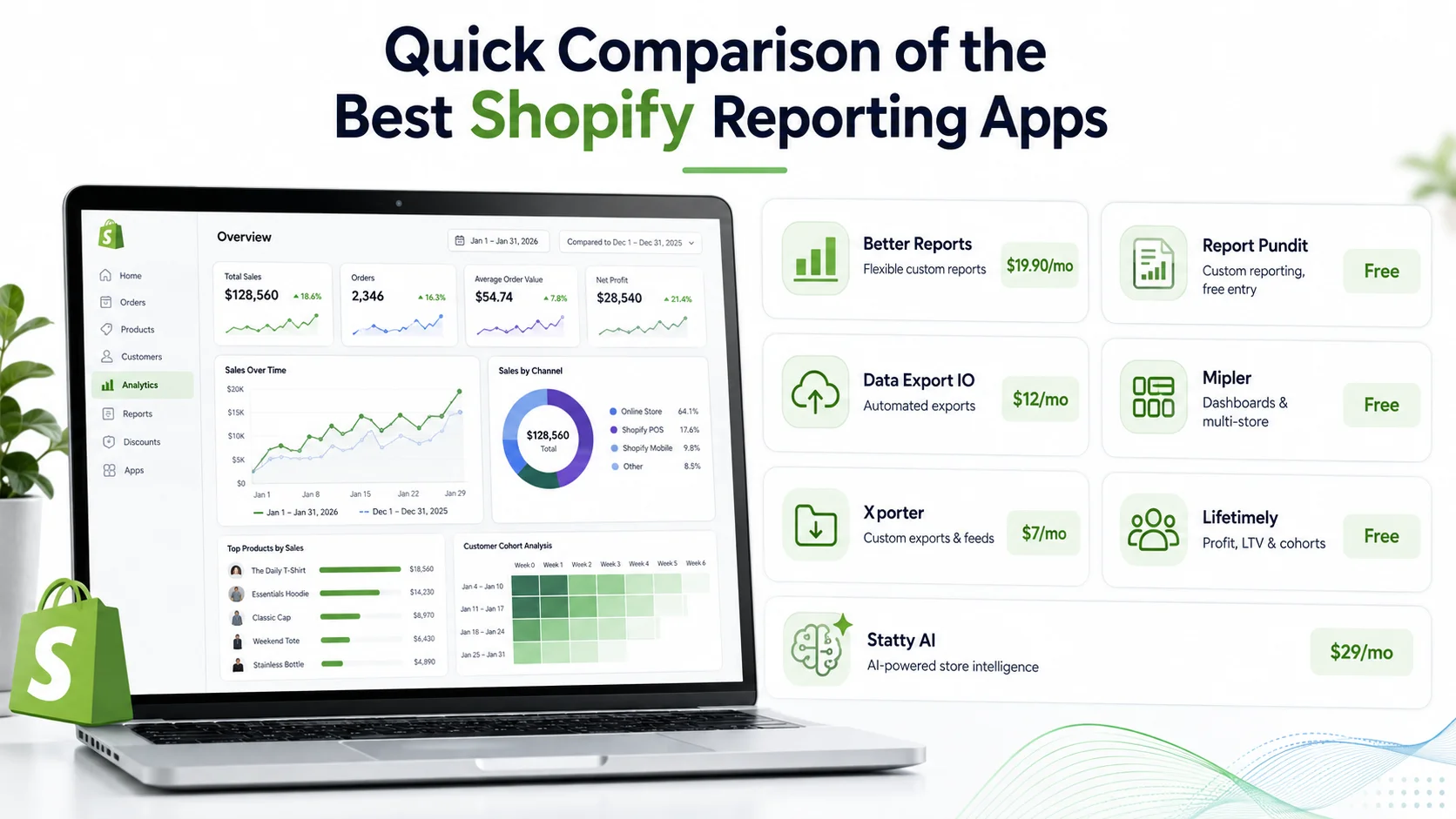
App | Best suited for | Starting price* |
Better Reports | Flexible custom reports | $19.90/month |
Report Pundit | Custom reporting with a free entry option | Free |
Data Export IO | Automated exports and scheduled reports | $12/month |
Mipler | Advanced dashboards and multi-store reporting | Free |
Xporter | Highly customized data exports and feeds | $7/month |
Lifetimely | Profit, LTV and cohort reporting | Free |
Statty AI | AI-powered store intelligence and reporting | $29/month |
*Current Shopify App Store pricing as checked in August 2026.
1. Better Reports: Best for Flexible Custom Reporting
Better Reports is a strong option when standard reports do not answer the exact question your business needs to ask. The app supports built-in reports as well as custom reports and custom fields. Reports can be exported to PDF, Excel, CSV and Google Sheets, and merchants can schedule automatic delivery. The developer also offers a custom-report service for stores that need help building a particular report.
This makes Better Reports especially useful for businesses that regularly need specific finance, operations or management reports rather than only a visual performance dashboard. Pricing currently starts at $19.90 per month for stores on Shopify Basic, with higher pricing tied to higher Shopify plans. A 14-day free trial is offered. Consider Better Reports if: your main requirement is building and distributing highly customized Shopify reports.
2. Report Pundit: Best for Custom Reports With a Lower Entry Cost
Report Pundit is another reporting-focused option, but its current free plan makes it particularly interesting for smaller stores beginning to outgrow standard reporting. The app supports prebuilt and custom reports, calculated fields, automated scheduling, Excel and CSV exports, and reporting across areas including sales, inventory, tax, customers and payouts.
Higher plans add app integrations, multi-store reporting and additional sharing and support capabilities. Its current free plan is available for stores below 1,000 lifetime orders, while paid pricing begins at $9 per month for stores on Shopify Basic.
That makes Report Pundit worth considering when detailed reporting is important but you do not want to begin with a higher monthly software cost. Consider Report Pundit if: you need flexible custom reports, exports and scheduled reporting with room to scale.
3. Data Export IO: Best for Automated Data Exports
Some merchants do not need another analytics dashboard. They need Shopify data delivered automatically to the tools their team already uses. That is where Data Export IO fits well.
The app can create custom fields and calculations and provides prebuilt report templates across sales, inventory, marketing and other operational areas. Reports can be exported to Google Sheets, Excel, CSV, JSON and other formats, then scheduled for delivery through email, FTP, Google Drive or Google Sheets.
This can be especially practical for accounting teams, agencies or operations staff that depend on recurring spreadsheets and external workflows. Current Shopify App Store pricing starts at $12 per month for Basic stores, with a 15-day free trial. Consider Data Export IO if: your priority is getting the right Shopify data into spreadsheets, drives or external reporting processes automatically.
4. Mipler: Best for Advanced Dashboards and Multi-Store Reporting
Mipler sits somewhere between a report builder and a broader business-intelligence tool for Shopify. It currently offers more than 100 built-in reports and allows merchants to create custom reports and dashboards without code. Reporting can cover sales, orders, inventory, profit, finance, tax and customer lifetime value.
It also supports Google Sheets and Excel exports, scheduled reports, cohorts, retention analysis, forecasting and multi-store reporting. That wider scope makes Mipler particularly relevant for merchants who have moved beyond basic reporting and want finance, operational and customer analysis in one reporting environment.
A free plan is currently available to eligible stores with fewer than 1,000 lifetime orders. Paid plans shown for Basic Shopify stores begin at $19.99 per month, while the Pro plan adds unlimited custom reports, multi-store reporting and team-access capabilities. Consider Mipler if: you need advanced custom reporting, dashboards or consolidated reporting across multiple stores.
5. Xporter: Best for Highly Controlled Data Exports
Xporter is less about giving merchants another executive dashboard and more about giving them detailed control over how Shopify data leaves the platform. It supports custom reports, configurable formatting, filters, scheduled delivery and data feeds. Higher plans add custom Liquid fields, frequent scheduled FTP or email reporting and multi-store support.
This makes it useful for businesses with operational processes that depend on a very specific report format or automatic data feed. Current pricing starts at $7 per month for one custom report. The $15 Essentials plan adds report scheduling, while the $45 Professional plan provides unlimited reports and more advanced automation. Consider Xporter if: your biggest challenge is not analyzing data visually but exporting it in exactly the right structure for another system or team.
6. Lifetimely: Best for Profit and Customer Lifetime Value Reporting
Lifetimely has a different focus from general custom-reporting apps. Its strength is profitability and customer economics. Current features include daily profit and loss reporting, customer behaviour analytics, custom dashboards, predictive lifetime-value modelling, benchmarking, product-performance insights and sales forecasting.
That makes it particularly useful when questions such as these matter more than general operational reporting:
Which customer cohorts become most valuable over time?
How profitable are different products or customer groups?
What does customer lifetime value look like?
Its current free plan supports stores with up to 50 orders per month. Paid plans start at $79 per month for up to 500 monthly orders, with higher tiers for larger order volumes. Consider Lifetimely if: profitability, LTV, cohorts and customer economics are your primary reporting requirements.
7. Statty AI: Best for AI-Powered Store Intelligence
Statty AI approaches reporting differently from traditional report builders. Rather than focusing mainly on creating custom tables and exports, it brings sales, customers, products, inventory, refunds, returns, abandoned checkouts, store health and SEO into a connected analytics environment. It also includes AI insights, chat and reports that help merchants ask questions about their store data and understand important performance changes in plain language.
For example, instead of manually building several reports to investigate a revenue decline, the goal is to make it easier to connect customer, product, inventory and checkout signals and understand where attention may be needed.
Current plans start at $29 per month, including six months of historical data and 1,000 monthly AI credits. Higher tiers increase historical coverage and AI capacity and add deeper trend and fulfillment analysis. A 3-day free trial is currently available.
Statty AI is newer than several tools in this comparison and currently has no Shopify App Store reviews, so merchants should evaluate it based on its actual feature fit and free trial rather than relying on established review history.
Consider Statty AI if: you want an AI-powered Shopify analytics app that combines store monitoring with AI explanations rather than primarily building custom report files.
Which Shopify Reporting App Should You Choose?
The answer depends on what you are trying to accomplish. If you need highly customizable reports, Better Reports or Report Pundit are logical places to start. If your workflow revolves around automated spreadsheets and exports, Data Export IO or Xporter may fit better.
If you need advanced dashboards or multi-store reporting, Mipler deserves consideration. If your main questions involve profitability, customer lifetime value and cohorts, Lifetimely is much more specialized for that job.
If you want store-wide analytics with AI explanations, alerts, SEO information and operational insights, Statty AI takes a different approach from a conventional report builder.
There is no reason to install the most complex application simply because it has more features. The right reporting tool is the one that consistently answers the questions your team actually needs to ask. For a deeper understanding of the information behind these reports, read our ecommerce data analytics guide.
Do You Even Need a Reporting App?
Before installing anything, check whether Shopify’s native reporting already solves your problem. Shopify currently provides analytics dashboards, default reports and customizable explorations using ShopifyQL. Sidekick can also help merchants generate or refine report queries. Available analytics and reports can vary by Shopify subscription.
If native reporting answers your questions clearly, adding another application may only create duplicate dashboards. A reporting app becomes more valuable when you can identify a specific missing capability, such as automated exports, custom fields, multi-store reporting, LTV analysis or AI-assisted interpretation.
Test the Report You Actually Need
A free trial is most useful when you enter it with a real task. Do not judge a reporting app only by how polished the first dashboard looks. Try to reproduce a report you currently build manually.
For example, ask the app to show revenue by product after refunds, identify low-stock high-selling items, separate new and returning customer performance or automatically send a weekly report to your team.
Then ask yourself: Did this application reduce reporting work or simply give me another place to look at data? That question will usually tell you more than a long feature checklist.
Final Takeaway
The best Shopify reporting app depends on the type of answer you need. Traditional tools such as Better Reports, Report Pundit, Data Export IO, Mipler and Xporter are particularly strong when report customization, exports and automation are the priority. Lifetimely specializes more heavily in profit and LTV analysis, while Statty AI focuses on bringing multiple areas of store performance together with AI-powered interpretation.
The goal should not be to collect more reports. It should be to make the information you already have easier to understand and easier to use. If you want to explore that approach, review Statty AI’s Shopify analytics dashboard and reporting features.