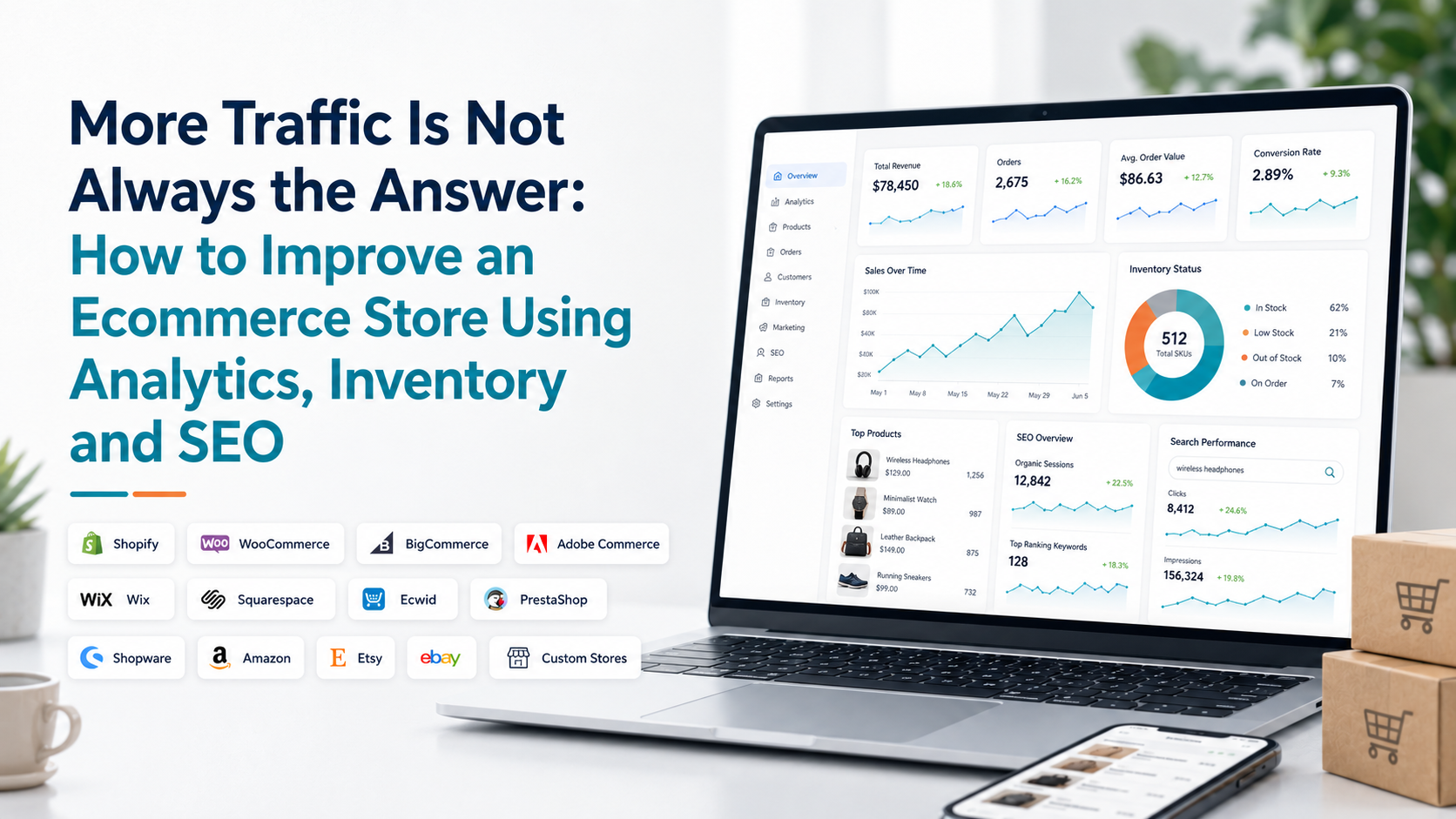
When an ecommerce store stops growing, the first reaction is often to get more traffic. Increase advertising. Publish more content. Run another promotion. Optimize more keywords. But additional traffic does not solve every ecommerce problem.
If your best products keep running out of stock, more traffic sends shoppers toward products they cannot buy. If visitors reach product pages but rarely add anything to their cart, SEO is not the first problem to solve.
If sales look healthy but customers rarely return, acquisition alone may only hide a retention issue. A better approach is to connect three parts of the business:
- Analytics tells you where the problem is.
- Inventory tells you whether the products customers want can remain available.
- SEO helps the right products and pages attract more relevant demand.
The goal is not to improve all three areas at once. It is to use them together to identify the biggest constraint and fix it in the right order.
Start With the Bottleneck, Not the Marketing Tactic
Before changing anything, ask one question: What is currently limiting the store's performance?
Imagine sales are down 15%. You could immediately start working on SEO, but analytics may show that organic traffic actually increased. The real issue might be that fewer visitors are completing checkout.
In another store, conversion might be completely stable while traffic from Google has gradually declined. A third store may have healthy traffic and conversion, but several high-revenue products have been unavailable for half the month.
All three stores have the same visible problem, weaker sales, but they need completely different solutions. That is why improving an ecommerce store should begin with diagnosis.
Step 1: Use Analytics to Find Where Performance Is Breaking
Start with the commercial result. Compare revenue and orders with a relevant previous period. Then look at average order value, traffic or marketplace visibility, purchase conversion, customer mix, products and inventory only as needed.
Do not open every report immediately. A useful sequence is: Sales changed → identify the driver → locate the affected part of the store → investigate that part more deeply.
Google Analytics' Purchase journey report, for example, shows the progression from session start to product view, add to cart, begin checkout and purchase. Its purpose is specifically to help businesses identify where users leave the purchase funnel.
This lets you distinguish between very different problems. Traffic is falling but conversion is stable. Acquisition or visibility probably deserves attention. Traffic is stable but product views are down. Check landing pages and how visitors are moving through the store.
Product views are stable but add-to-cart activity falls. Review products, pricing, availability and product-page experience. Checkout starts remain healthy but completed purchases decline. Investigate shipping, payment and the checkout experience.
Google Analytics also provides a dedicated Checkout journey report for identifying abandonment between checkout stages. The important point is simple: find the weak stage before choosing the improvement. For a deeper diagnostic workflow, see Why Did My Online Store Sales Drop?.
What If Traffic Is Increasing but Sales Are Not?
This is one of the most useful signals an ecommerce store can find. More visitors without comparable growth in purchases usually means the additional traffic is not translating into commercial results.
Start by checking whether the new traffic is reaching relevant product and category pages. Then compare conversion by traffic source, device, landing page and other useful segments. The new audience may simply have weaker buying intent.
But do not assume traffic quality is always responsible. The issue could also be unavailable products, poor product information, weaker pricing, technical problems or checkout friction.
The correct conclusion is not: We need even more traffic. It is: We already have more traffic. Why is that demand not becoming more revenue? That question moves optimization toward the part of the store that actually needs improvement.
Step 2: Check Whether Inventory Can Support the Demand You Already Have
Once analytics identifies which products are generating demand, inventory tells you whether the business can continue capturing that demand. This is where many stores lose revenue quietly. Imagine Product A generates significant traffic, converts well and contributes strongly to revenue. It is also repeatedly out of stock.
SEO may continue bringing potential buyers to the product page, but the business cannot fully convert that demand. The first improvement is not another content campaign. It is protecting product availability.
Do not judge inventory risk from remaining quantity alone. Twenty units may be plenty for a product selling twice per month and dangerously low for one selling twenty times per day. Useful inventory analysis combines stock with sales velocity and product importance.
Shopify, as one example, currently provides inventory metrics including sell-through rate and days of inventory remaining. Days remaining uses inventory quantity and recent average daily sales to estimate how long stock may last.
Other ecommerce and inventory platforms may calculate or label these measures differently, but the business question remains: Will enough inventory remain available until more stock can arrive?
Prioritize Inventory by Commercial Impact
Not every low-stock product deserves the same response. Suppose 25 products are running low. Trying to urgently replenish all 25 may waste purchasing budget. Start with the products that combine strong demand with meaningful commercial value. Look for products that:
- Generate significant revenue
- Sell consistently
- Have limited available inventory
- Take longer to replenish
- Support other important products or bundles
- Frequently reach zero stock
This turns inventory management into prioritization rather than simply watching quantities. If a slow-moving product has five units remaining, the business may have weeks or months to act. If your highest-revenue product has five units remaining and normally sells ten units per day, the decision is very different.
For a deeper inventory framework, use Shopify Inventory Analytics: What Merchants Should Track. The same inventory principles can be adapted to other ecommerce platforms where equivalent product and stock data is available.
Do Not Promote Products You Cannot Reliably Sell
This sounds obvious, but marketing and inventory teams frequently operate from different data. SEO begins generating stronger product visibility. Paid campaigns are launched. Email promotes the same item. Then the product runs out.
The business has successfully increased demand for something it cannot supply. Before increasing visibility for an important product, check: Current available quantity. Recent demand. Expected campaign demand.
Replenishment lead time. Incoming inventory. Important variant availability. This becomes especially important before seasonal campaigns or promotions.
SEO and inventory planning should not operate as unrelated activities. The products receiving the most visibility should be products the business is reasonably prepared to sell.
Step 3: Use SEO Data to Decide What Deserves Optimization
Once commercial and inventory issues are understood, SEO can help strengthen qualified demand. But ecommerce SEO should not begin with: Which keywords can we add to the website? Start with existing evidence.
Google Search Console's Performance report shows clicks, impressions, click-through rate and average position. It also lets businesses analyze performance by queries and pages, which can reveal where search visibility already exists and where improvement opportunities may be available.
Suppose a category page receives thousands of impressions but relatively few clicks. That is a much more focused SEO opportunity than randomly rewriting every category on the website. Check which queries generate those impressions.
Then ask whether the title, page positioning and content genuinely match what those searchers appear to want.
Google specifically recommends examining low-CTR pages and considering whether titles, descriptions and content align well with the queries showing those pages. Use SEO data to prioritize pages rather than treating every URL as equally important.
Improve Product Pages for People First
SEO improvements should make a page more useful to the shopper, not just more keyword-heavy. A strong product page should make it easy to understand:
- What the product is.
- Who it is for.
- What important features or specifications it has.
- Which variants are available.
- How much it costs.
- What buyers should know before ordering.
- What shipping or return expectations apply where relevant.
Google's Search guidance continues to emphasize helpful, reliable, people-first content rather than content created primarily to manipulate rankings.
This is particularly important in ecommerce because thin product pages often rely heavily on manufacturer descriptions or repeated template text.
Useful product information should help a shopper make a decision. SEO value follows from making the page clearer, more distinctive and easier for search engines to understand.
Product Titles Need to Describe the Product Clearly
Product and category titles are not simply locations for keywords. They help searchers understand the result before clicking. Google recommends descriptive, concise page titles, warns against keyword stuffing and advises sites to avoid repeated boilerplate titles across pages.
Consider these two titles: Products | Online Store and: Men's Waterproof Hiking Jackets | Brand Name The second tells both the shopper and search engine far more about the page. But adding every possible variation to the title is not the answer either. Keep it descriptive enough to differentiate the page without turning it into a list of repeated keywords.
Use Search Queries to Improve the Page, Not Just the Metadata
Search Console can show which queries already cause a page to appear in search. Those queries can reveal missing information. Suppose a product page regularly appears for searches containing:
- "size guide"
- "waterproof"
- "delivery"
- "material"
If the page gives poor answers to those questions, you have discovered a content opportunity directly from search behavior.
You might add clearer sizing details, material information, shipping context or product specifications where appropriate.
The objective is not to insert the query phrase mechanically. It is to understand what potential customers are trying to learn and make the page more useful.
Connect SEO Performance With Revenue
Search traffic is not the final goal of an ecommerce store. A page gaining clicks but producing weak commercial results deserves a different response from a page gaining clicks and driving meaningful purchases. When possible, connect SEO information with store analytics. For example:
- High impressions + low clicks: Search-result presentation or relevance may need improvement.
- Growing organic traffic + weak product engagement: The page may attract the wrong intent or fail to convince shoppers.
- Growing traffic + strong conversion + low inventory: Inventory becomes the immediate constraint.
- Strong product demand + weak search visibility: SEO may represent a meaningful growth opportunity.
This is where analytics and SEO become far more useful together. Search data tells you about discovery. Store analytics tells you what happens after discovery.
Technical SEO Still Matters
Content cannot perform well if important pages are difficult for search engines or users to access. Technical checks should include areas such as indexability, canonical URLs, internal links, page performance and structured data where relevant.
Google's Search Essentials recommends crawlable links and content that clearly uses the language people would use to find it. Page experience also matters to users.
Google's current Core Web Vitals measure loading performance through Largest Contentful Paint, responsiveness through Interaction to Next Paint and visual stability through Cumulative Layout Shift.
Google recommends LCP within 2.5 seconds, INP under 200 milliseconds and CLS below 0.1 for a good user experience. Do not treat these numbers as the entire SEO strategy. Use them as part of a broader effort to make product and category pages fast, stable and usable.
Use Product Structured Data Where It Makes Sense
Product structured data helps search engines understand ecommerce product information more clearly. Google says eligible product markup can provide information such as price, availability, ratings, shipping and return details in richer search experiences.
This creates another connection between SEO and inventory. If availability changes, the product information provided to search engines and shopping systems should remain accurate.
A page that says a product is available while customers repeatedly find it unavailable creates a poor experience. Keep website product data, inventory data and structured product information aligned where your platform supports it.
Category Pages Need a Different Improvement Strategy
Product pages answer questions about a specific item. Category pages help shoppers explore a group of related products. A category page may need: A clear descriptive heading. Logical product grouping.
Useful filters. Relevant introductory information. Strong internal links. Products that are actually available. Do not turn category pages into long essays simply because you want more SEO content. The content should support the shopping task. Analytics can help here too.
If a category attracts significant search traffic but users rarely move into products, investigate navigation, filters, product selection and page intent. The SEO metric identifies the opportunity. Behavior data tells you whether the page is actually helping shoppers.
Internal Linking Should Follow the Buying Journey
Internal links help users and search engines move between relevant parts of a site. Google explicitly recommends crawlable links so it can discover other pages on a website. For ecommerce, useful internal links may connect:
Related categories. Complementary products. Buying guides to relevant product categories. Informational articles to commercial pages. Product pages back to important parent categories. Avoid adding links simply to manipulate SEO.
A good internal link should help the shopper continue naturally. A guide about choosing running shoes should make it easy to reach the relevant running-shoe category. An inventory article does not need to link randomly to unrelated products.
SEO Should Not Send Customers Into Dead Ends
Inventory and SEO can conflict when unavailable products continue receiving strong organic traffic. Removing every temporarily unavailable product page immediately is not necessarily the right approach.
If the product will return, the page may still have search value and useful information. The better customer experience may be to clearly communicate availability and provide alternatives, related products or restock information where appropriate.
If a product has been permanently discontinued, determine whether another relevant product or category represents a useful alternative before deciding how the URL should be handled. The important principle is to avoid letting valuable search traffic arrive at a page with no useful next step.
Which Should You Improve First: Analytics, Inventory or SEO?
Start with analytics because it identifies the constraint. Then prioritize based on evidence.
- Fix inventory first when strong demand exists but important products cannot remain available.
- Fix the buying experience first when traffic exists but too few shoppers progress toward purchase.
- Prioritize SEO when conversion and product availability are healthy but qualified discovery is weak.
- Work on retention when acquisition is healthy but existing customers rarely return.
This is much more efficient than declaring that every store needs more SEO, more advertising or more products. The correct growth tactic depends on what is currently limiting growth.
What If SEO Traffic Is Down but Sales Are Stable?
Do not panic over one channel without looking at the whole business. Organic search might have declined while email, direct traffic, marketplaces or returning customers generated more revenue. That does not mean declining SEO should be ignored. It means you should understand its actual commercial impact before deciding priority.
Search Console can help identify which queries and pages lost impressions or clicks, while store analytics can show whether those pages previously contributed meaningfully to sales. Prioritize losses that affect commercially important pages rather than treating every ranking movement equally.
What If Sales Are Strong but Inventory Is Getting Worse?
Strong sales can create the next problem. A bestseller growing quickly may make current performance look excellent while creating a stockout risk for the following week. This is why ecommerce improvement should look forward as well as backward.
Analytics says the product is succeeding. Inventory says whether that success can continue. SEO and campaigns tell you whether even more demand is likely to arrive. The combination lets you act before the success turns into an availability problem.
A Practical Example
Imagine an ecommerce store sells outdoor equipment. Revenue is flat compared with the previous month. The owner initially plans to increase advertising and publish more SEO content. Analytics shows something more interesting.
Traffic increased 12%. Orders barely changed. Several high-value hiking products generated fewer sales. The product pages still receive healthy traffic, but the most popular sizes were unavailable for much of the month.
Now the problem is clearer. The store does not primarily need more traffic. It needs to protect availability on products that existing traffic already wants. The merchant improves replenishment planning and adds better low-stock monitoring.
Once those products remain reliably available, Search Console reveals several product category pages with strong impressions but relatively weak CTR. The team improves page titles and aligns category content more closely with the queries searchers are using.
Now inventory and SEO activity are supporting the same products. That is far more efficient than running unrelated optimization projects.
Build a Monthly Ecommerce Improvement Cycle
A useful store optimization process can follow this sequence:
- Measure the business. Compare revenue, orders, customer behavior and purchase activity with a relevant previous period.
- Find the constraint. Decide whether the biggest issue is demand, conversion, customer retention, products or availability.
- Prioritize commercially important products and pages. Do not spread effort equally across the entire catalog.
- Fix operational problems first. Resolve stock, checkout or product-experience issues that prevent existing demand from converting.
- Use SEO data to identify growth opportunities. Review queries, pages, impressions, clicks and commercially valuable organic landing pages.
- Make focused changes. Improve the specific pages, products or workflows supported by the evidence.
- Measure again. Compare the next relevant period to see whether the change produced the expected result.
This creates a repeatable loop: Measure → Diagnose → Prioritize → Improve → Measure again For a structured recurring review, see Which Ecommerce Metrics Should Store Owners Check Every Week?.
Do Small Ecommerce Stores Need This Much Analysis?
They need the logic, not necessarily the complexity. A smaller store does not need an enterprise analytics stack to connect analytics, inventory and SEO. Start with a few questions.
- Which products generate most of the business?
- Are those products consistently available?
- Where do customers stop buying?
- Which pages already receive organic visibility?
- Which problems are costing enough to deserve attention?
A store with fifty products may be able to answer those questions with simple reports. A business selling thousands of products across several platforms may need a more connected analytics environment. The process scales. The technology depends on the complexity.
This Approach Works Across Ecommerce Platforms
The exact reports and capabilities differ, but the same improvement framework can apply to Shopify, WooCommerce, BigCommerce, Adobe Commerce, Wix, Squarespace, Ecwid, PrestaShop, Shopware, Amazon, Etsy, eBay and custom ecommerce stores.
For independent ecommerce websites, SEO may focus heavily on Google visibility, technical SEO, category architecture, product pages and content.
Marketplace sellers work within different search environments, so Amazon, Etsy and eBay listing optimization should follow the search and listing rules of those platforms rather than simply copying website SEO tactics.
Inventory also differs by platform and fulfillment model. What remains consistent is the improvement process: Understand demand. Identify the commercial constraint. Protect product availability. Improve discovery. Measure what happened afterward.
Where Statty AI Fits
As ecommerce businesses add sales channels, products, customers and inventory, these signals become harder to interpret when they live in separate reports.
Statty AI is designed to bring ecommerce performance information into a clearer analytics environment so merchants can connect sales, customers, products, inventory and other store signals instead of investigating each one independently.
You can explore Statty AI analytics features or visit Statty AI to learn more about its approach to connected ecommerce intelligence. For merchants deciding how those insights should be presented, see What Should an Ecommerce Analytics Dashboard Actually Show?.
Final Thoughts
If you want to know how to improve an ecommerce store, do not begin with a random list of growth tactics. Begin with evidence. Use analytics to find where performance is being limited.
Use inventory data to make sure the products creating demand can remain available. Use SEO to strengthen visibility around products, categories and content that the business is prepared to support. Then measure again.
- Sometimes the right improvement will be better SEO.
- Sometimes it will be fixing checkout.
- Sometimes it will be protecting inventory on one bestseller.
Sometimes it will be improving a product page that attracts traffic but does not help shoppers make a decision. The most effective ecommerce improvement strategy is not doing more of everything. It is finding the constraint that matters most, fixing it, and then using the next round of data to decide what deserves attention next.